
A menu bar monitor for Apple silicon Macs
Fewer beach balls. More flow.
Berrystat lives in your menu bar and tells you, in plain words, how your Mac is coping. When it starts to struggle, Berrystat slows the busy apps in the background, so the one you're working in stays quick.
14 days free · Pay once, no subscription · macOS 15 or later · Apple silicon
 Sun 9:41
Ten tabs, one song, and the ball starts spinning.
- Safari has ten tabs open, music is playing, and everything stops for a second. Then again.
- You're only on Chrome, yet the fan is at full blast and the keyboard is warm.
- You open Activity Monitor for an answer and get a wall of numbers instead.
Your Mac isn't broken. It's running out of room, and nothing tells you which app is taking it.
What Berrystat does about it
- 1
Tells you how your Mac is coping
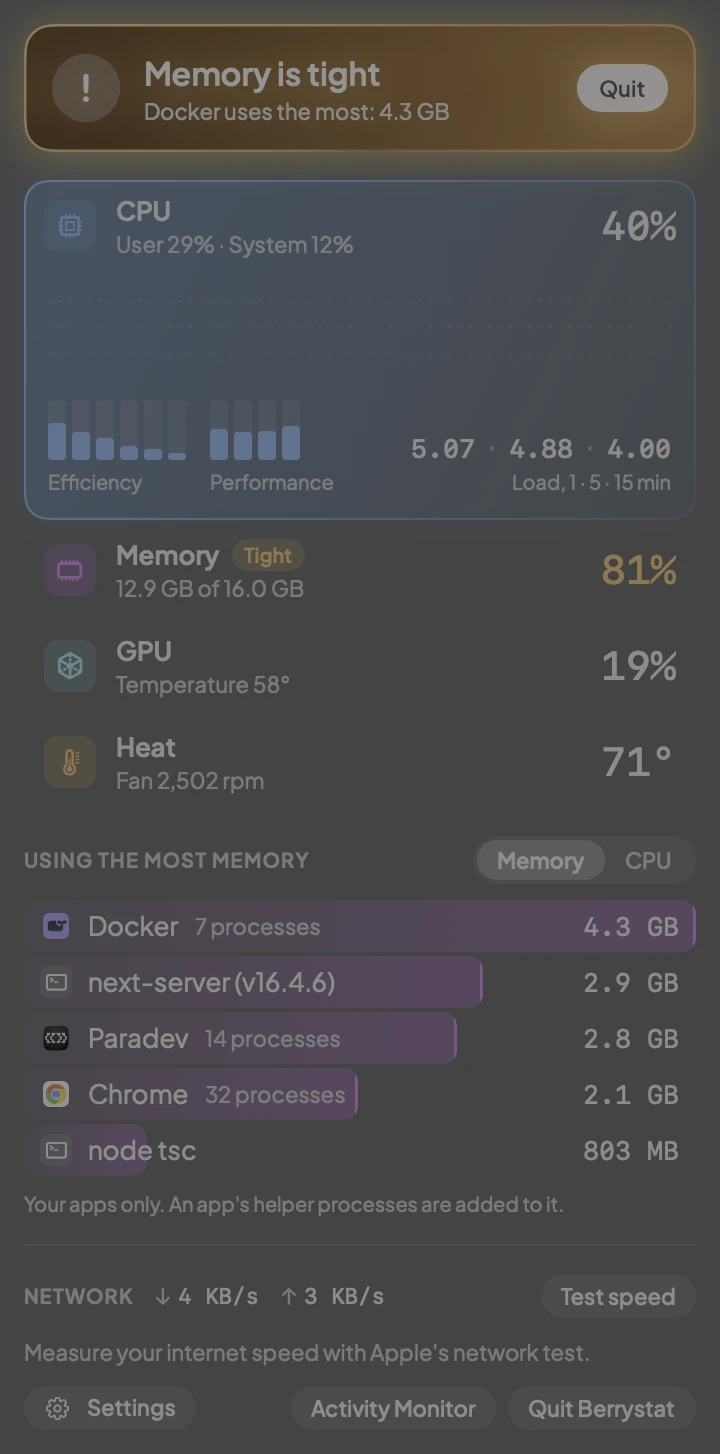
One line at the top: All good, Memory is tight, or Running hot. Under it, the app using the most memory, how much quitting it would free, and how warm your Mac is.
- 2
Makes way for the app you're using
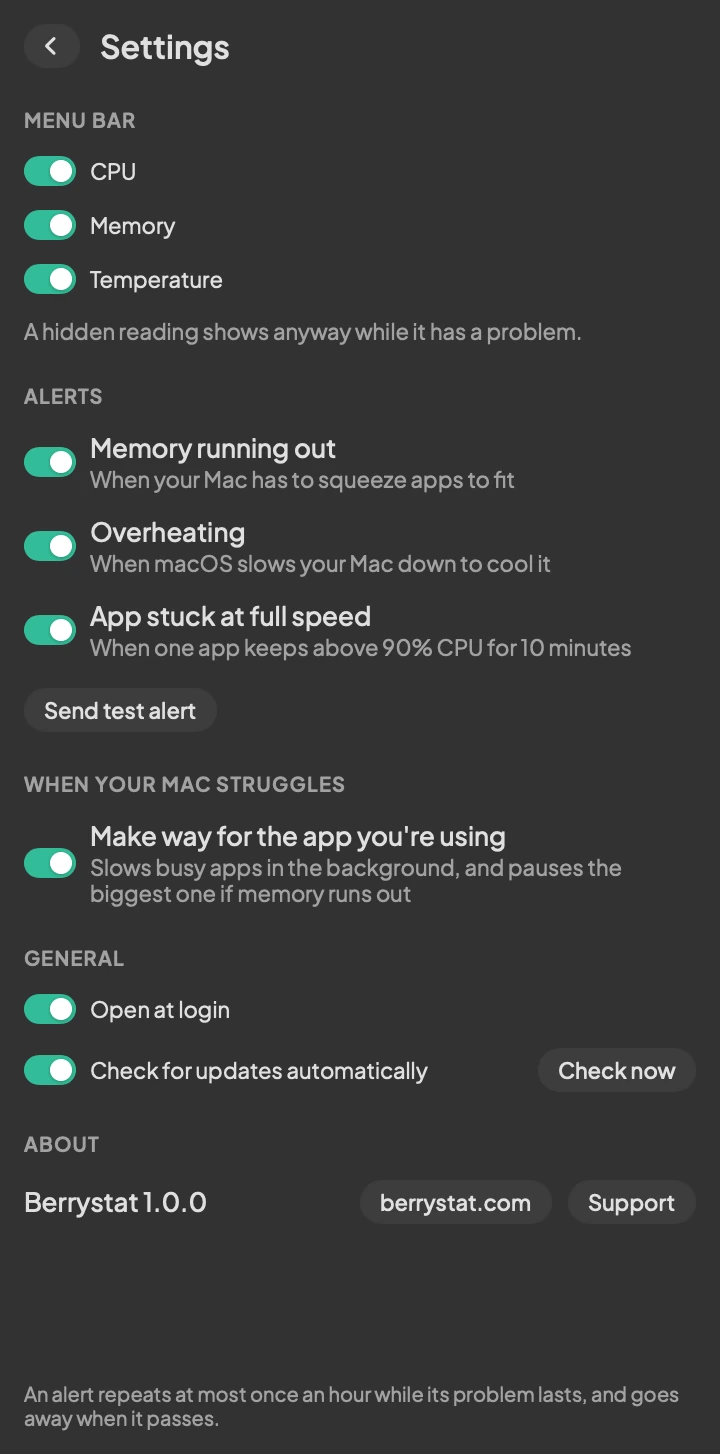
When memory runs short or your Mac heats up, Berrystat slows apps that have been busy in the background for ten seconds or more. If memory keeps running out, it pauses the biggest one. The app in front is never held back.
- 3
Lets go when your Mac recovers
Once the pressure passes, everything it slowed goes back to full speed, one app at a time so they don't all rush back at once. Nothing is closed and nothing is lost.
All good
Safari is using 2.1 GB.
Your Mac at a glance, right in the menu bar
A small CPU graph with CPU, memory and temperature beside it. Choose which readings show. One you've hidden comes back by itself while it has a problem.
Quit the one app that's to blame
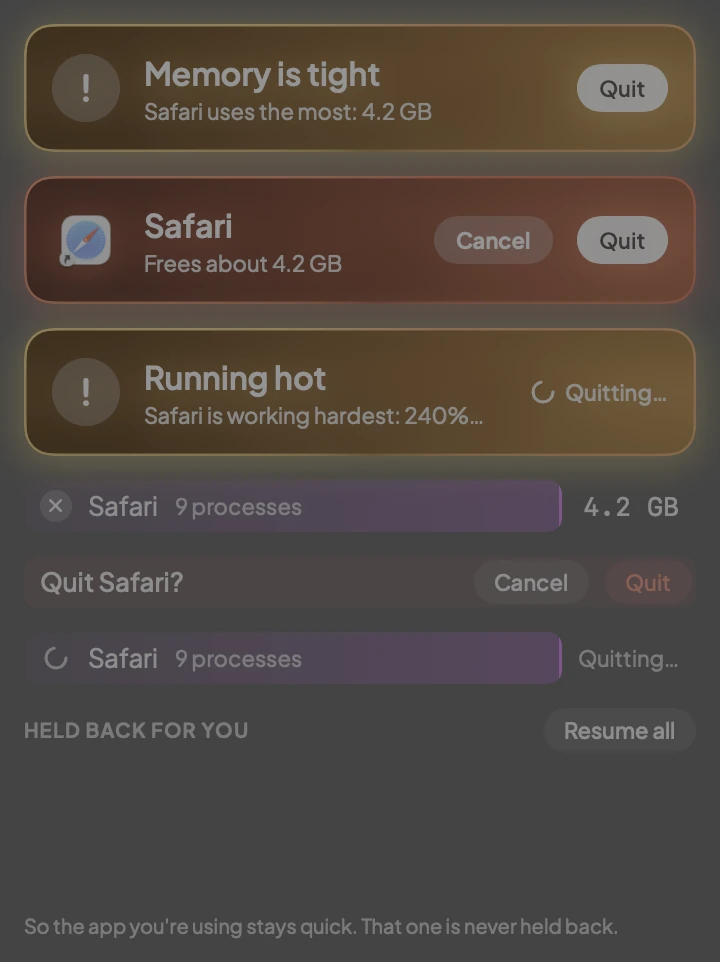
When memory gets tight, Berrystat names the app using the most and what quitting it would free. It asks before it quits anything, and the app can still ask you to save your work.
Alerts that say what to do
Memory running out, your Mac running hot, or an app stuck at full speed for ten minutes. Each alert names the app and repeats at most once an hour while the problem lasts.
Slowed Chrome to keep your Mac quicknow
It's working, just slower, until your Mac recovers.
What it won't do
Delete anything
No cleaning, no caches wiped, no files touched.
Add memory
If your Mac runs out every day, Berrystat shows you that plainly, so you know it's time for more memory, not another app.
Slow the app you're using
Only apps in the background are ever held back.
Send your data anywhere
Readings stay on your Mac. It goes online only to check for updates, and when you press Test speed.
Pay once. Keep it.
$14.99once
- Every feature works for 14 days, no card needed
- One payment, no subscription
- Signed and notarized by Apple
- Your readings never leave your Mac
Questions
Apps from the App Store run in a sandbox that can't see or slow other apps. Berrystat has to do both, so it's sold here instead. It's signed with an Apple Developer ID and notarized by Apple, so macOS opens it like any other app.
Try it the next time your Mac slows down.
14 days free, no card. If it doesn't help, just delete it.
macOS 15 or later · Apple silicon